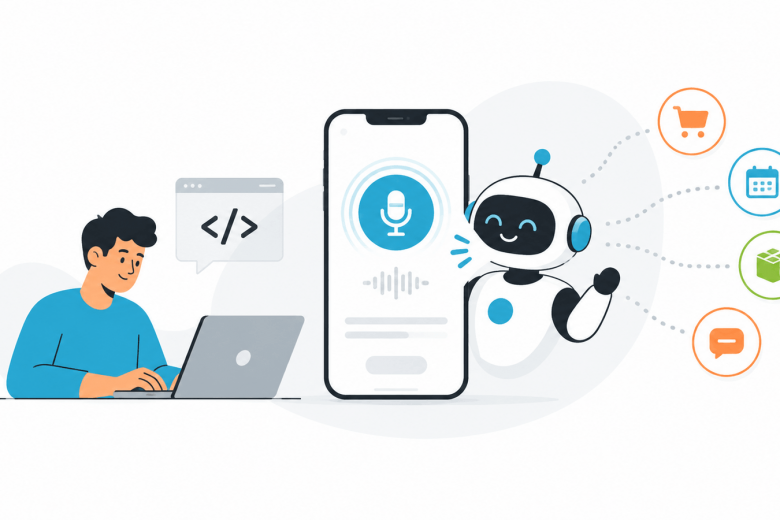
People now use voice in many apps. They use voice to search. They ask phones for help. They use smart speakers at home. They also use voice to send messages or find places.
Because of this, more developers are adding voice to apps.
An ai voice agent for developers can listen to a user, understand the question, and give a spoken answer. It can also connect with app data and do simple tasks.
For example, it can check an order, book a time, answer a question, or update a record. The main goal is simple. Voice should make the app easier to use.
What Is an AI Voice Agent?
An AI voice agent is a tool that can talk with a user.
The user speaks. The app turns the voice into text. Then AI reads the text and tries to understand the request. After that, the app decides what to do. It may check some data. It may ask another question. It may use an API. Then it gives the answer in voice. This all happens in a short time.
Why Voice Can Help Users
Typing is not always easy. A user may be driving. They may be cooking. They may be working with their hands. They may also want a faster way to finish a task. Voice can help in these cases.
For example, a user can say:
“Book a call for Friday at 3.”
Without voice, the user may need to open a page, pick the day, pick the time, and press save. Voice can make this faster.
The Main Parts of a Voice Agent
A voice agent needs a few parts.
Speech-to-Text
This part turns spoken words into text. It must be clear and fast. But mistakes can happen.
Noise can make it hard to hear. Fast speech can also cause errors. Some names or accents may be hard to understand.
For key details, the app should ask the user to confirm.
For example:
“You said Monday at 4 PM. Is that right?”
This can stop small errors.
AI Understanding
After the voice becomes text, the app must understand the meaning. People may ask the same thing in different ways.
One user may say:
“Where is my order?”
Another may say:
“My package is late.”
Both users want help with delivery. A good voice agent should understand both.
Text-to-Speech
The final answer is turned into voice. The reply should be clear. It should also be short.
Long voice replies can be hard to follow. Simple answers are usually better.
Connect Voice With Real App Data
A voice agent is more useful when it can use real data. This is often done with APIs. Think about an online store.
A user asks:
“Where is my order?”
The app needs to know who the user is. Then it checks the order system. After that, it gives the latest update.
The flow may look like this:
The user speaks.
The app turns voice into text.
AI understands the request.
The app checks the right data.
The app gets the answer.
The voice agent speaks the reply.
This makes the voice agent much more useful.
Where Developers Can Use Voice Agents
Voice agents can work in many types of apps.
Customer Support
A voice agent can answer simple questions.
It can share store hours. It can check an order. It can explain return rules.
If the problem is hard, it can send the user to a real person.
Booking Apps
A user can ask for free times.
They can book a new time. They can also change or cancel a booking.
This can save many clicks.
Shopping Apps
A user may ask if a product is in stock.
They may ask about size, price, delivery, or returns.
The voice agent can check the store data and give an answer.
Work Apps
Voice can also help workers.
A user may say:
“Add a note to this client.”
Or:
“Show me today’s tasks.”
The app can do the work without much typing.
Keep Voice Talks Simple
Voice is different from a normal app screen. On a screen, users can see buttons, menus, and text. With voice, they only hear the answer. So the reply should be short. The app should also ask simple questions.
If the user says:
“Book it tomorrow.”
The app may ask:
“What time do you want?”
It should not guess.
Let Users Fix Mistakes
Voice tools can make mistakes. That is normal. The key is to make the fix easy.
If the app hears “Friday” but the user said “Thursday,” the user should be able to correct it right away.
The app should keep the rest of the chat. The user should not have to start again.
Make Human Help Easy
AI should not handle every problem. Some cases need a real person.
A user may have a payment problem. They may be angry. They may have a hard account issue.
In these cases, the voice agent should send the user to human support. It should also share the details it already has. The user should not need to repeat everything.
Keep User Data Safe
Voice apps may use private data. This may include a name, phone number, account data, or payment details.
Developers need to keep this data safe. The app should only ask for data it really needs.
It should also check the user before making key changes. This is very important.
Start With One Simple Task
Developers do not need to build a large voice system first. It is better to start with one task.
For example:
Check an order
Book a time
Find account details
Answer common questions
Build one task well. Then test it with real users.
See where they get stuck. See what the agent does not understand. Fix those parts first. Then add more tasks later.
Final Thoughts
AI voice agents can make apps easier to use. They can help users ask questions, get answers, and finish tasks with less effort.
But voice should solve a real problem. It should not be added just because it is new.
The best voice features are simple. They understand the user, give short answers, and know when to bring in a real person.
For developers, that is a good place to start.
The post How Developers Can Build Smarter Applications With AI Voice Agents appeared first on The Crazy Programmer.